Monday, 2 November 2009

Making my video

We have chose to make a video to the song Apologise by Timberland. We are going to make a narrative to this song. So far we have come up with a few different ideas for our video in terms of locations, props, and narratives.

Our first narrative idea was about two people having an argument. At the start of the video we show them upset and they are trying to write a letter apologizing to each other.( In this shot we would have them screwing up rough letters in different rooms. Then the next scene we would see the argument. The next scene after that we would see them talking to each other but with a bit annoyance in the air. For the final scene we see the couple lying down and we would hear them say a promise never to break up or argue with each other.
Here are a few ideas for locations we could use in the video:
The theatre we have in the college because it is black and we are going for a dark effect. Maybe a hill looking at the sky for a romantic effect or with a seaview. Maybe a red room while they are arguing to portray anger, and maybe a studio to show shots of artist singing, a street. ( Different shot each chorus. )

I had to be a relective learner here because we had to look at other artist's work to give us ideas to use in our work.
Wednesday, 21 October 2009

Evaluation of my presentation

This week I have done my presentation in media. I think it went well overall but I also found it quite difficult because I do not enjoy speaking in front of people for long periods of time. I think it went well because I gained some confidence in talking in front of people so it will be a bit easier next time I have to do a presentation.

Friday, 16 October 2009

Type of shots

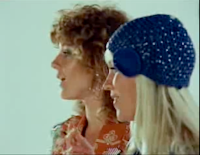
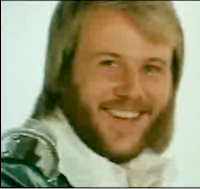
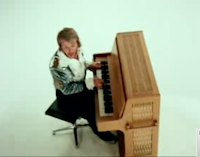
I have looked at some music videos and shots that I like from Abba's video 'Waterloo' and here are some shots that I would like to use in my music video that I will make later on in the year:

This type of shot is called a close up. This means that it is a shot of his head. I like this shot because I think it is framed alright but they accidentally cut off a bit of his head in it.


This shot is called a crane shot. This means that they put the camera on a crane and move it so you can see the artist/performer from above. I probably wont be able to use this in my music video but i think it was quite skillful in this period of time.


This type of shot is called a profile shot. This means that you can see these two women from the side. i like this shot because you can see them both really clearly.

Tuesday, 13 October 2009

Sixth Week

This week I have been starting to type up my presentation. I also have learnt how to use Final Cut Pro on monday which i found quite fun and interesting.

Wednesday, 7 October 2009

Photography

I have learnt alot in Photography. Lately I have been learning how to make photograms and projection prints in the darkroom. I have really enjoyed this as I find it really creative and you never get two pictures the same. I also started to add colour in the last two weeks which I did through Photoshop.Text Colour

Research - week 5

This week in Media I have been starting to research about Michel Gondry and his style of music videos. I have also started to make a presentation to compare Lasse Hallstrom's and Michel Gondry's music videos. In this presentation I will also present the techniques and technology used in each video to compare them to each other. This is the start of our project called Capture which for our pathway is about making music videos. Very soon I hope to actually start making promotional materials for a band or artist.


I think I was a self manager here because I had to research and plan what I was going to use in my presentation.

Thursday, 1 October 2009

Learning how to record a band

This week we have have learnt how to use logic in order for us to record a band in a few weeks. This is how to record in the recording room :
Hardware (Outside Computer)
-Audio interface
- Input (Micleads / Jack lead)
(Guitar / bass)
- Set gain (to correct level - just hitting yellow)

Signal level
Microphones

plug in to wall socket in live room then follow through to control room then plug into audio interface then it goes to computer.

Software (Inside Computer)

Logic
-create track
-select input
-enable recording on the track
-record